
Broadcast live video from your webcam
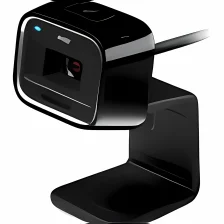
Active WebCam gives users the opportunity to broadcast live video from a webcam they already own.
If you're in need of webcam software, or simply want a way to take advantage of recording and broadcasting video in real-time on a webcam you already own, Active WebCam is a tool you'll want to take a look at.
Active WebCam broadcasts video at a speed of up to 20 frames per second, live and from virtually any webcam you own. It's a great tool for surveillance, specifically because Active WebCam can sound an alarm or email you images whenever it detects motion in the area you're monitoring. This gives immediate notification that users will be able to take action on as soon as possible. Active WebCam is available to use on multiple webcams at once as well.
In addition, users can view the video recorded on any web browser. There's also no need to download any sort of plugin upon set up.
For beginners, Active WebCam offers a wizard that will help get your webcams set up. The configuration options are pretty diverse, and you can even create a webpage with customized colors and fonts where you can post the videos you've recorded.
Some users might not be impressed by the very plain-looking interface, unfortunately. There are also still some bugs that seem to need to be worked out, as Active WebCam freezes and crashes on occasion.
For Windows PC users who need a solid surveillance tool and already own a webcam, Active WebCam offers a respectable amount of options and tutorials to get you going.

























User reviews about Active WebCam
by Jan-Åke Jiveborn
After installation there is no way to activate the program. It's complaining about no internet connection, but that is not the case. The server in US is not up an running. Warning, do not pay for this! /Jan More
by Dr. Chris Olson-Knierim
So far it has been very easy to use. I have not had any issues with it.
by Richard Mullen
Do not use this if you are trying to get a good photograph or video..
well if you need a proper webcam i wouldn't necessarily use Active webcam because the screen isn't always great and cant always take a great picture or video but if you want it for something rough then i would probably recommend it!
Pros:
how you can take funny photos
it is easy to download More
by Anonymous
Great Possibilities - but crashes alot.
The software does everything I want - except run reliably. It crashes 3 to 4 times per day. I finally wrote a program to monitor it and reboot the computer if it gets stuck. Unfortunately you have to reboot as restarting the program will not work.The other big complaint is that you never hear anything from tech support. Nothing. I'm a registered user and have purchased the software. I have submitted lots of questions but I never get a response. Never
Pros:
Good features
Cons:
Crashes way too much
Tech support? What tech support. There is none! More